
Home / CUBESuite® / CUBE ProtectionCentral
SOFTWARE PSIM / CONTROL ROOM
CUBE Protection® Central
It is a multi-user and multi-site software that monitors and manages intrusion and fire prevention systems.
CUBE Protection® Central can integrate different systems with standard and proprietary protocols. Where possible, direct integration with the control panels offers the possibility of communicating bidirectionally with each individual point.
Multi-user
Custom credentials and access profiles with configurable authorization levels.
Multi-site
Simultaneous monitoring of multiple geographically distributed devices from a single location.
Alarms and events
Pop-ups, audible signals, operational notes and centralized reporting processing.
Maps and site menus
Geolocation of alarms, flashing sites and quick access to the control page.
Real centralization, not just supervision
CUBE Protection Central is designed to aggregate devices, sites, users and events in a single platform, maintaining operational simplicity and the ability to respond immediately.
Multi-site control
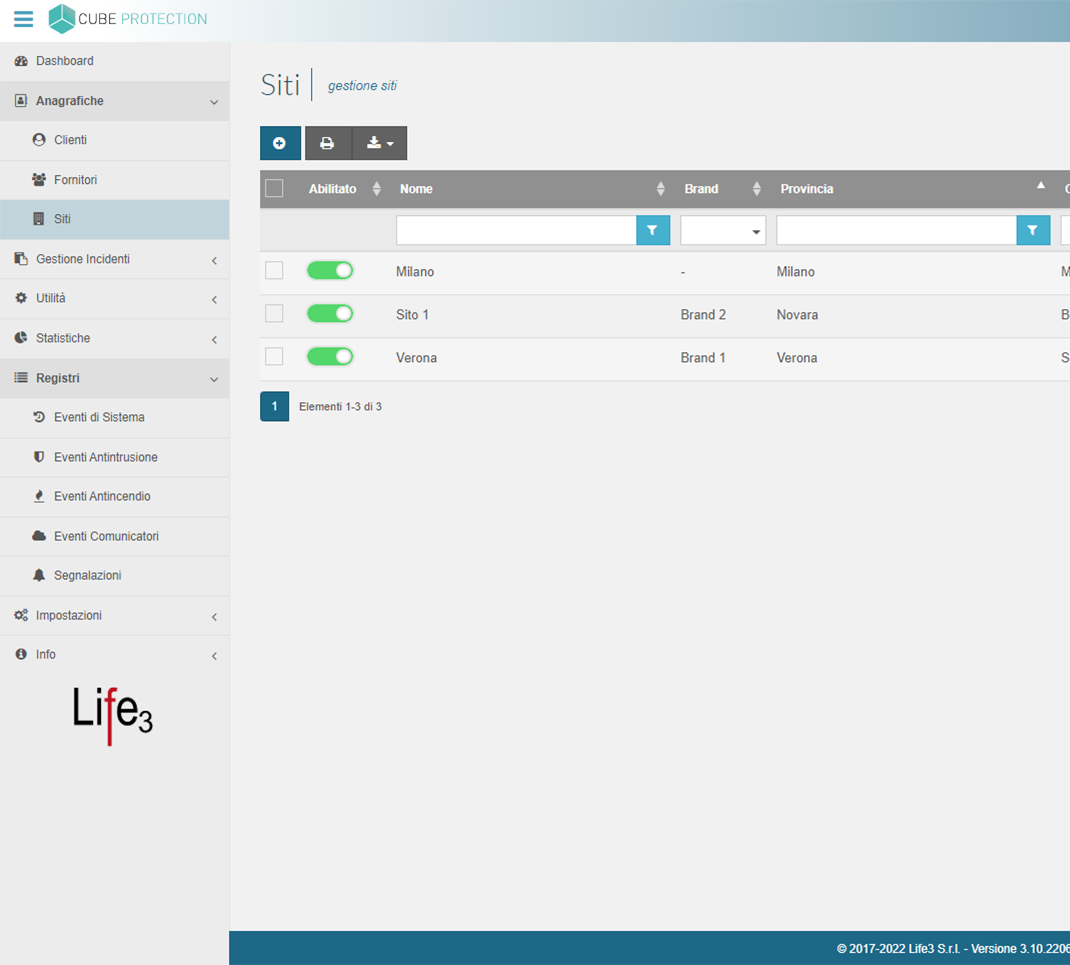
Simultaneous monitoring of multiple geographically distributed devices with quick access to the management page of each system,- List of sites from the right side menu
- Immediate choice of the system to be worked on
- Direct operation on areas, zones and states
Alert and event management
Alarms and events are notified with pop-ups and can be managed with notes, procedures, and controlled closure of the report.- Alarms with possible acoustic signal.
- Customer-customizable procedures
- Processing with notes before closing
Maps and visual context
Alarms can be identified on the geographic map with the affected site highlighted and a link to the control panel’s control page.
- Flashing site in case of alarm
- Quick access from map and menu
- Support for associated camera images
An interface designed for the control room
Accessible via web browser from PCs, tablets, and smartphones, the platform is installed on a server and allows local or remote access with customized credentials.
Different reception modes
Connessione diretta a centrali d’allarme e rivelazione incendio, o ricezione degli allarmi tramite comunicatori.
Events, records and history
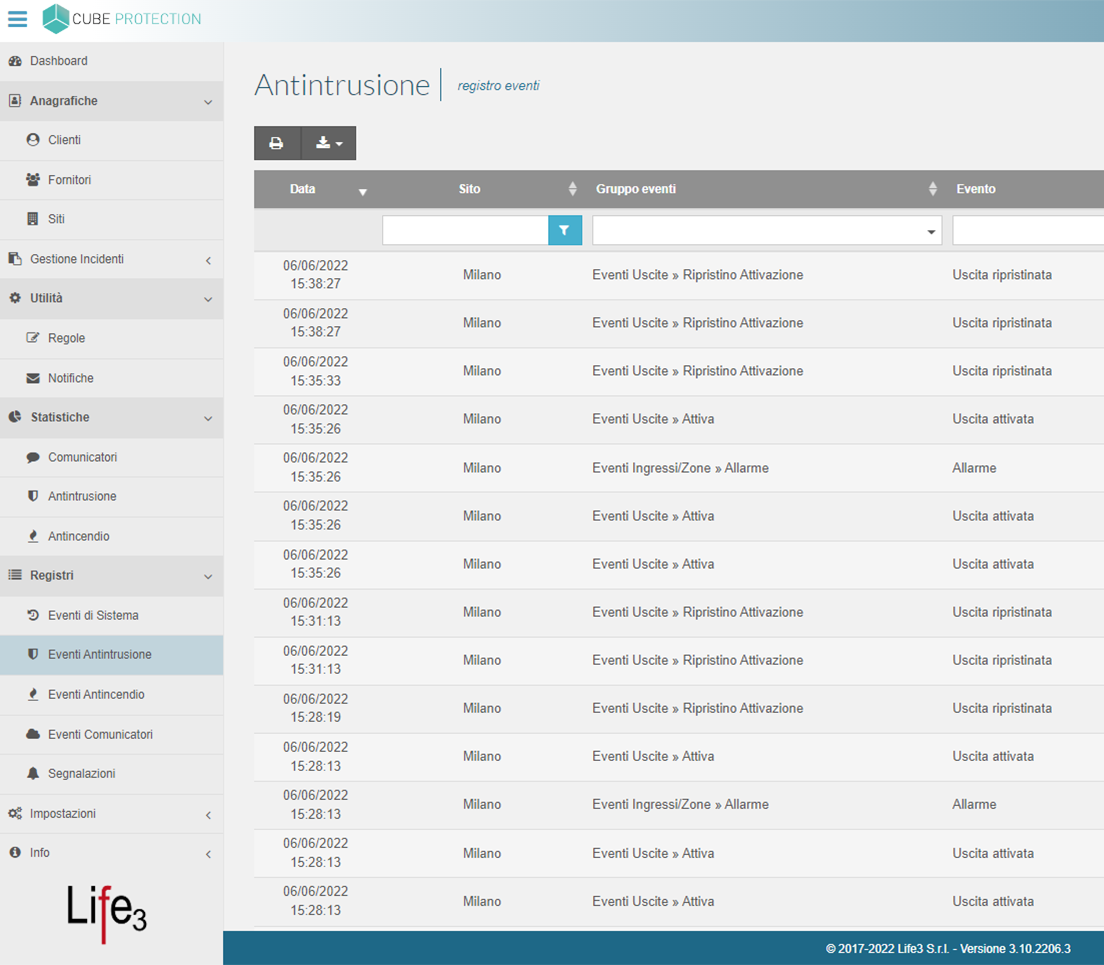
Real-time viewing of events and access to logs for historical analysis and verification.
Notifications and procedures
Event alerts via pop-up, email, or Telegram, with customer-customizable emergency procedures.
Main operational features
The features are built for everyday use by operations centers, installers, service providers and distributed facilities.
Fire management
Event reception and monitoring of fire detection control panels and devices.
Gestione antintrusione
Arming and disarming systems, reading statuses and immediate intervention in monitored areas.
Live video surveillance
Camera visualization to support event management.
Graphic maps
The status of sensors, systems, and sites can also be viewed on a graphical or geographic map.
Live video surveillance
Camera visualization to support event management.
Graphic maps
The status of sensors, systems, and sites can also be viewed on a graphical or geographic map.
Incident management
Section dedicated to recording special events such as thefts, alarms and maintenance.
Planned actions
Automatically store and execute actions at pre-set times.
Reports and logs
History can be consulted to analyze anomalies, alarms and device behavior.
Profiles and logins
Multi-user access with individual credentials and administrator-configurable permissions.
Reports and logs
History can be consulted to analyze anomalies, alarms and device behavior.
Profiles and logins
Multi-user access with individual credentials and administrator-configurable permissions.
Why it is useful in real-world scenarios
CUBE Protection Central is suitable for logistics platforms, control rooms, server farms, industries, management centers, hotels and other contexts with multiple sites or multiple devices to manage.
More operational visibility
A single interface for reading devices, sites, alarms, events and procedures, reducing management fragmentation.
Faster intervention
Elements such as pop-ups, menus and direct access to the control panel allow you to quickly decide where and how to intervene.
More traceability
Notes, logs, incident management, and event history streamline the flow of activities.
More accessibility
Central server, local or remote access, and compatibility with modern browsers for seamless management.
Integration with the CUBESuite ecosystem
CUBEProtection can communicate with other modules in the ecosystem to build broader supervision of security, safety, access, building and energy management.




Want to see CUBEProtection Central in action?
Request a demo and discover how to centralize the monitoring and management of intrusion, video surveillance, and fire detection systems in a single web interface.
CUBESUITE® is configured in such a way as to demonstrate compliance with the principles set out in GDPR art.5 and in particular with privacy by default. Where possible, technical measures have been taken to ensure that only the personal data required for each specific purpose of the processing are processed by default.
In particular CUBESUITE® incorporated the following principles:
- Principle of confidentiality: authentication credentials when the user logs in, have an expiration date and an adjustable complexity to ensure the confidentiality of the processed information and to prevent the access by unauthorized users. It is also possible to create unlimited user profiles by assigning them specific privileges, such as deleting and/or exporting data
- Principle of minimization: the Suite is designed in such a way as to allow the erasing of data through the automatic or manual cleaning of the records
- Data security: data can be backed up by integrating them with the customer backup and/or disaster recovery procedures
- Encryption: all software related files are encrypted on file system with an AES 256 encryption key, communications are certified with the customer’s SSL certification, the database is protected by a password and the password is encrypted
- Durability of files uploaded by the user: a file hash is calculated for each uploaded file as to show the inalterability of the data
If you are interested in our product and you want some more information about it, please send us an e-mail at info@life3.it or request a demo by following this link: Request a demo